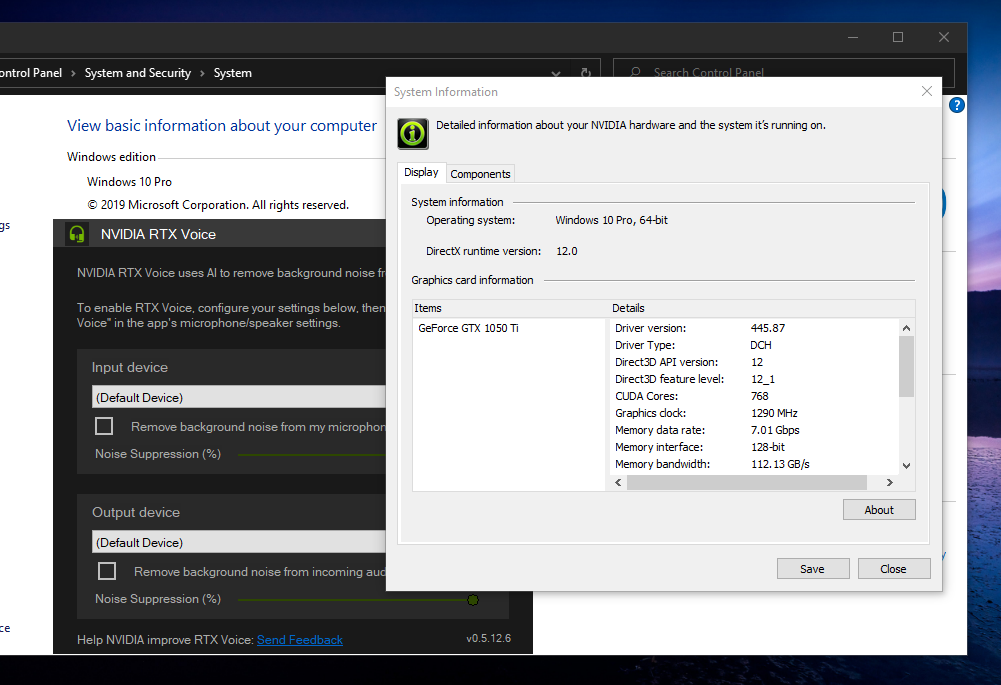
The new Nvidia RTX Voice can work with GTX cards however you need to modify a little code, I have tested this on Windows 10 and Windows 7 operating systems, GTX 1080, GTX1050Ti, and Titan V GPUs
[ATTACH type=“full”]214[/ATTACH] Instructions:
[ul]
[li]Download the official installer from Nvidia’s website: NVIDIA RTX Voice: Setup Guide[/li][li]Open the installer and proceed until you get the message that says your GPU isn’t supported.[/li][li]Meanwhile, the installer has extracted files to [COLOR=rgb(41, 105, 176)]C:\temp\NVRTXVoice[/li][li]Open [COLOR=rgb(41, 105, 176)]C:\temp\NVRTXVoice\NvAFX\RTXVoice.nvi with a text editor like Notepad++ or Sublime[/li][li]Find and remove the below code[/li][/ul]
[ul]
[li]After that open the installer from [COLOR=rgb(41, 105, 176)]C:\temp\NVRTXVoice\setup.exe[/li][/ul]
[COLOR=rgb(226, 80, 65)]Note: You might need to provide administrator permission to modify the file or simply you can copy the entire folder C:\temp\NVRTXVoice to another drive then do the above instructions and install it from there.
Or if you lazy enough to do these then I will leave a download link to the modified installer the below post
Hey, thanks for sharing this hack for using Nvidia RTX Voice on GTX cards! It’s awesome that you’ve tested it on various GPUs and operating systems. Your step-by-step instructions are quite clear and straightforward, making it easier for others to follow along. Modifying the code in the file and then installing it from the specified location seems like a clever workaround. For those who might be a bit lazier (we all have those moments!), your offer to share the modified installer is a cool option, too. This kind of DIY tech workaround is exactly what the community loves – finding creative solutions to enhance their hardware without breaking the bank. If you’re looking to explore more Nvidia options, checking out the RTX 4090 at a good price might be worth considering.